Universal Showdown Official Roblox Page
Favorite and like place 127377897541228, then follow Next Update.
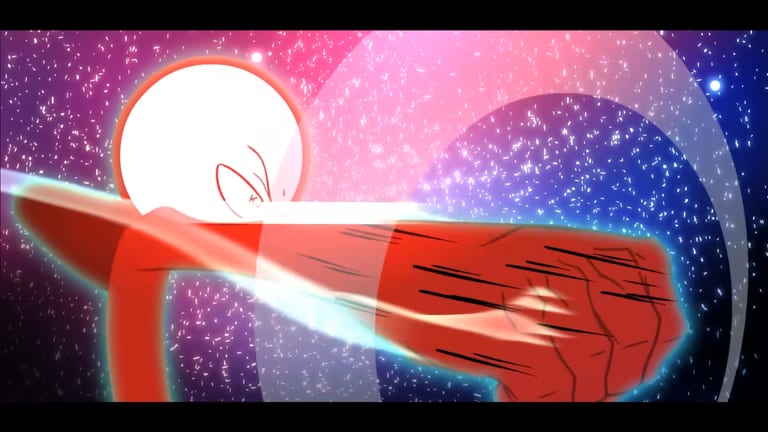
The official Universal Showdown listing is the only play link this wiki treats as confirmed. The experience is online PvP on Roblox, released on 26 January 2026. Open Universal Showdown on Roblox and check that the place ID is 127377897541228 before you favorite, like, or buy anything. Copycat listings reuse thumbnails. The number is the filter.
This page walks the actions on that listing: favorite, like, Store, badges, and the related Next Update event. It does not add a Discord. It does not add a Trello. For the honest board status, use Trello status. For the rest of the short list, return to Links Hub.
Open the correct listing
- Use the URL above or search Universal Showdown on Roblox and then read the place ID.
- Confirm the description mentions liking the game for a secret character, lists the official keybinds, and tags Shinji, KJ, Jun, and Cosmic Garou / Cosmic Form.
- Confirm it says spins and emotes are random, equal chance, and cannot duplicate.
- If those lines are missing, you are probably on a different experience even if the title is close.
After the listing is correct, press Play from that page. Joining from a friend’s invite is fine only if you still land on the same place ID. If you land elsewhere, leave and launch from the official URL.
Favorite the experience
Favorite is the Roblox bookmark. On the experience page, use Favorite so Universal Showdown stays on your continue and favorites lists. Favorite does not grant the secret. It only keeps you from losing the real listing later when search results fill with similar names. If you play on more than one device, favorite from an account you actually use to join PvP.
Favorite is also how you reduce copycat risk. A favorited official page is faster than trusting the first search result after a patch rename. Keep this wiki page and Links Hub as a backup if the in-client search is noisy.
Like the experience for the secret
The official description says to like the game for a secret character. Like is a page action on the same listing, not a key inside the match. Click Like, wait for Roblox to register it, then join and look for whatever the current build grants after that like. The written guide is Secret character. The tick-box version is the unlock checklist.
Do not like a fan-made copy and expect the secret. Do not pay for a like-for-you service. Do not treat favorite as a substitute. If the secret does not show, rejoin once after the like, then stop stacking extra rituals that the description does not list.
Store, badges, and the event
The official page Store is where named gamepasses appear. This wiki treats these names as confirmed for this title: Kill Sounds, Extra Emote Slots, Emote Second Page, Awakening Outfit, Early Access, and Private Servers+. Extra Emote Slots is described as eight slots instead of four. Emote Second Page adds another emote page. Early Access is described as work-in-progress character skill sets that may be incomplete. This page will not invent menus for the other names. None of them replace the free like. Buy after a real session, not during the first load screen.
Badges, if any are published, are on the same Roblox page. Open the tab and read the real titles. This wiki will not invent badge names to look complete.
The Next Update event is the confirmed official event for this experience. Follow it when you want Roblox-native timing. Pair it with Next Update on this wiki. Do not replace the event with a Trello that claims to be the roadmap. Trello status explains why that swap is a bad habit here.
After the page is bookmarked
Learn the six official actions on the keybinds cheatsheet or Controls. Compare confirmed names on the character compare and Players Hub. Hunt promos only on Codes Hub. Keep Tools Hub for checklists. That is a full loop that never needs an unofficial invite.
Favorite, like, then leave the tab open
The useful end of this page is a three-click habit. Open place 127377897541228. Favorite it. Like it. Leave the tab open until you have joined once and confirmed you are in the real experience. Then you can close the store, ignore chat invites, and play. If you need the event later, the Next Update URL is the second bookmark, not a Discord pin from another project.
Frequently Asked Questions
Quick answers to the most common questions.
What is the official Universal Showdown URL?
https://www.roblox.com/games/127377897541228/Universal-Showdown. Confirm place ID 127377897541228 before you favorite or like.
How do I favorite the game?
Open the official experience page and use Roblox Favorite. Favorite keeps the listing on your lists. It does not grant the secret.
How do I like the game for the secret?
Use Like on the same official page. The description states that liking grants the secret character. Then join and check the current build.
Where is the official Next Update link?
https://www.roblox.com/events/7244416477091201605. Pair that event with the Next Update page on this wiki.
Are gamepasses required?
No. Kill Sounds, Extra Emote Slots, Emote Second Page, Awakening Outfit, Early Access, and Private Servers+ are optional Store names on the official page.
Is there an official Discord linked here?
No. This page only confirms the Roblox play listing and the Next Update event. Other Discords are not recommended.