Universal Showdown Tools Hub
Cheatsheet, unlock checklist, and a no-numbers compare of confirmed names.
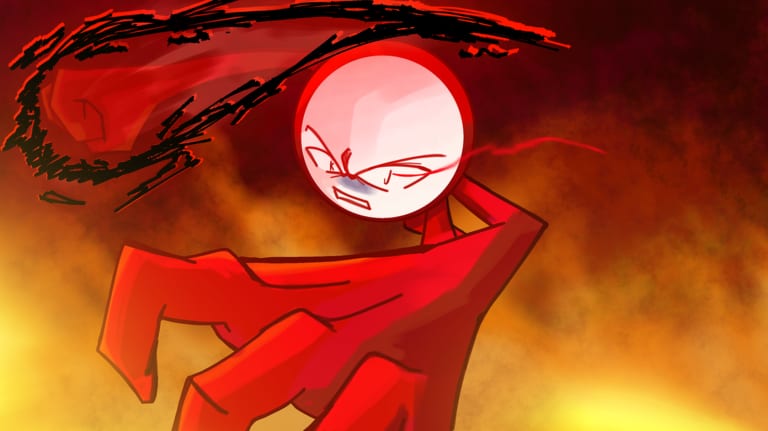
Universal Showdown is an online Roblox PvP battlegrounds experience that launched on 26 January 2026. This Tools Hub keeps three practical pages in one place: a printable keybind cheatsheet, a first-hour unlock checklist, and a high-level compare of the confirmed fighter names. The pages share one rule. They repeat only what the official experience publishes, and they refuse invented damage tables, fake Trello URLs, and Discord invites that belong to other projects.
The only confirmed official destination for this title is the official Roblox play page. Timing for the next patch is listed on the Next Update event. If a friend drops a board titled Universal Showdown Trello, or a Discord for Studio Nerds or for a different experience called A Universal Showdown, those are other projects. This hub does not recommend them. Confirm destinations on Links Hub, then read the honest Trello status before you click anything from chat.
Tool pages on this hub
- Keybinds cheatsheet — official PC binds in tables you can keep beside the keyboard: Left Click punch, Q dash or ragdoll evasive, G ultimate, F block, Double W run, and B emote.
- Unlock checklist — like the experience for the secret, try equal-chance spins, review badges on the official page, and treat gamepasses as optional.
- Character compare — Shinji, KJ, Jun, and Cosmic Garou / Cosmic Form compared at a high level, with no fake stats.
Start with the cheatsheet if your hands still hunt for block or evasive. Start with the checklist if you just opened the experience and want a clean first hour. Start with the compare if you are choosing among confirmed names and want a rumor filter instead of a leaked kit.
Facts these tools will not stretch
The official description says the experience is playable on PC, console, and mobile. It publishes six actions, not a full console map. Spins and emotes are randomized with an equal chance, and duplicates are not possible. A secret is tied to liking the experience. Page tags confirm Shinji, KJ, Jun, and Cosmic Garou / Cosmic Form. Optional Store names this wiki treats as real for this title are Kill Sounds, Extra Emote Slots, Emote Second Page, Awakening Outfit, Early Access, and Private Servers+.
These tools will not invent extra skill keys, DualShock labels, badge titles, or a live code list. For a written controls walkthrough, open Controls. For the like-the-game secret, open Secret character. For roster context, open Players Hub. For patch timing, open Next Update. For promo attempts, open Codes Hub instead of trusting a random board.
How to use this hub in a short session
Give yourself ten minutes before you queue. Read the keybinds cheatsheet once, then join a server and only practice punch, block, dash, and run. After that session, walk the unlock checklist so the like-for-secret step is not skipped. When you pick a name, use the character compare to stay inside confirmed tags. Bookmark official links so you favorite and like place ID 127377897541228, not a copycat listing.
This hub stays small on purpose. A tool page should finish one job: bind, unlock, or compare. Long advice belongs in guides. Link hygiene belongs on Links Hub. Keep that split and the cheatsheet stays useful during a match instead of turning into another essay you cannot scan mid-round.
Frequently Asked Questions
Quick answers to the most common questions.
What tools are on this hub?
Three pages: the keybinds cheatsheet, the unlock checklist, and the high-level character compare. Each one is meant to stay open while you play.
Do these tools include unofficial Trello or Discord links?
No. This wiki has not confirmed an official Trello. Studio Nerds Discord and A Universal Showdown Discord belong to other projects and are not recommended here.
Where are the official keybinds listed?
On the official Roblox description and on the Keybinds cheatsheet. The published PC set is Left Click punch, Q dash or ragdoll evasive, G ultimate, F block, Double W run, and B emote.
Will the character compare rank Shinji, KJ, Jun, and Cosmic Garou?
No. It compares confirmed names at a high level and refuses fake damage numbers, win rates, or invented move lists. Use Players Hub for roster context.
What should I open after the tools?
Controls and Secret character for written guides, Official links to favorite and like the real page, Next Update for the event, and Codes Hub if you are hunting promos.